

The Drone Modification Factory is a system in SVS Fantasy Oasis for upgrading drones, enhancing modules, and increasing combat power. Drone development also provides troop-type bonuses. The remodeling screen displays attributes and skills, while Upgrade Preview shows upcoming unlocks.
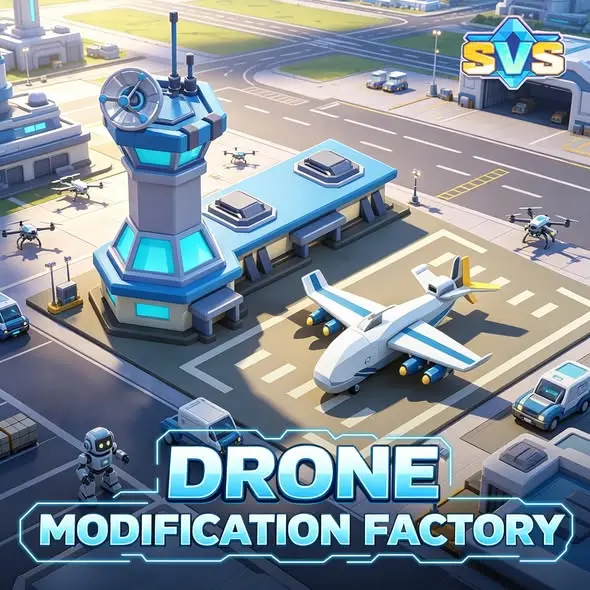
SVS Fantasy Oasis promotional artwork showing the Drone Modification Factory and aircraft apronWhat Does the Drone Modification Factory Improve?
The Drone Modification Factory’s feature description covers drone upgrades, module enhancements, and improvements to overall combat power and troop capabilities. For beginners, the Drone Modification Factory is a development system associated with strengthening troops.
The supplied information mentions strengthening all unit types, but does not list which troops each module affects or the exact bonuses it provides. When choosing a modification, check the corresponding attributes and effect descriptions in the game.
What Does the Remodeling Screen Show?
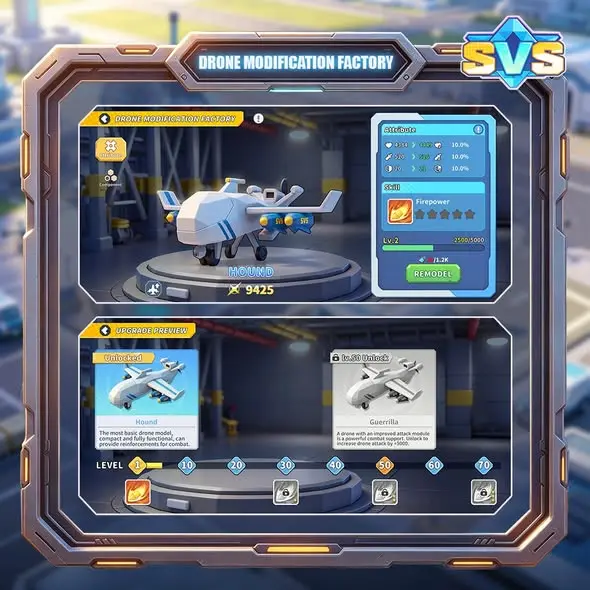
In the supplied Drone Modification Factory image, the upper section shows a drone named Hound. The panel on the right contains Attribute, Skill, and the REMODEL button. Upgrade Preview appears below.
| On-screen Label | Meaning | What the Image Shows |
|---|---|---|
| Hound | Name of the displayed drone | Appears beneath the drone model |
| Attribute | Attributes | Displays several attribute values and percentages |
| Skill | Skill | Shows a skill named Firepower with star icons |
| REMODEL | Remodeling action | A button at the bottom of the right-hand panel |
| Upgrade Preview | Preview of upgrades | Shows drone cards, level milestones, and unlock labels |
Read these sections separately: Attribute shows the drone’s attributes, Skill identifies its skill, and Upgrade Preview shows upcoming upgrades. The values in this example should not be treated as starting values for every new player.
What Do the Hound and Guerrilla Unlock Labels Mean?
In the supplied Upgrade Preview image, Hound is marked Unlocked. Guerrilla has a lock icon and the label Lv.50 Unlock.
| Drone | Status in the Example | How to Read It |
|---|---|---|
| Hound | Unlocked | Already unlocked in this example |
| Guerrilla | Lv.50 Unlock | The upgrade preview indicates an unlock at Lv.50 |
Lv.50 is the unlock label shown in this drone upgrade preview. It should not be interpreted as player level, main city level, or factory building level. To check your own progress, refer to the level and unlock information in the same Upgrade Preview screen.
Explore Your Drone’s Upgrade Path
Download SVS Fantasy Oasis to view drone attributes, skills, and upgrade previews in the game. Check your current remodeling progress and upcoming unlock goals.


What Should Beginners Check Before Remodeling?
Editor’s tip: When you first view the Drone Modification Factory, check the following information before deciding whether to spend resources on remodeling. This is a suggested way to read the interface, not a verified optimal upgrade order.
- Check your current drone and attributes. Confirm the drone’s name, then read the Attribute panel. Do not assume your values match the example account.
- Read the skill description. The example shows Firepower, but its name alone does not establish its full effects, activation conditions, or which units receive its bonuses.
- Check the remodeling requirements. Before using REMODEL, compare the requirements shown on your screen with the amounts you own, then decide whether to proceed.
- Review the next unlock. Use Upgrade Preview to see what comes later. Seeing Lv.50 does not mean beginners need to make unlocking Guerrilla an immediate goal.
How Does Drone Remodeling Differ from Other Development Systems?
The Drone Modification Factory focuses on drones, modules, and troop-type bonuses. To learn about crafting and upgrading hero equipment, continue to the Equipment Manufacturing Guide. For technology research that supports development and troop strength, read the Research Center Guide.
Play SVS Fantasy Oasis
Download SVS Fantasy Oasis to explore drone remodeling, equipment manufacturing, and the Research Center as you get to know the game’s development systems.
Google Play | App Store

Explore More SVS Guides
To learn about another enhancement system, read the Ornament System Guide for an introduction to hero ornament attributes and upgrades.